City Centre Legal Jobs | Wiki | SummitLife | SummitLife
SummitLife guide
City Centre Legal Jobs
Choose your first job: compare Lumberjack, Miner, Garbage Collector and Delivery Driver, get equipped, and learn how to collect your earnings.
Category
Economy
Written by
SummitLife Staff
Last updated
September 2026
The Job Center map marker is your starting point for four legal jobs: Lumberjack, Miner, Garbage Collector and Delivery Driver. You sign up in town, then travel to the job's forest, mine, depot or delivery stops.
Load parcels, request a route, deliver to marked stops
Delivery outfit and active Delivery Van
Leader selects Finish Job; earnings are divided among contributors
Lumberjack and Miner work through gathering and trading. Garbage and Delivery support solo players and job groups through Phone > Jobs. Choose gathering if you want to start without a dedicated job vehicle; choose a route job if you want to drive and coordinate a crew.
Get hired at City Centre
Find Job Center on the map and approach the NPC.
Use the on-screen interaction to open the Job Centre.
Select a job and read its details and walkthrough.
Apply, read the outfit-change screen, and confirm to equip the job outfit.
Wait for the hiring result. Check your current job before applying again if a reply is delayed.
Keep the required uniform equipped, obtain your tool or vehicle, and follow the individual guide below.
The outfit confirmation changes your clothing. Read it before accepting. If a job action reports that you are not hired or that clothing is missing, check both employment and your equipped outfit; carrying the clothing in a bag is not the same as wearing it.
Photo to add: the Job Center NPC with its marker, followed by the job-selection screen.
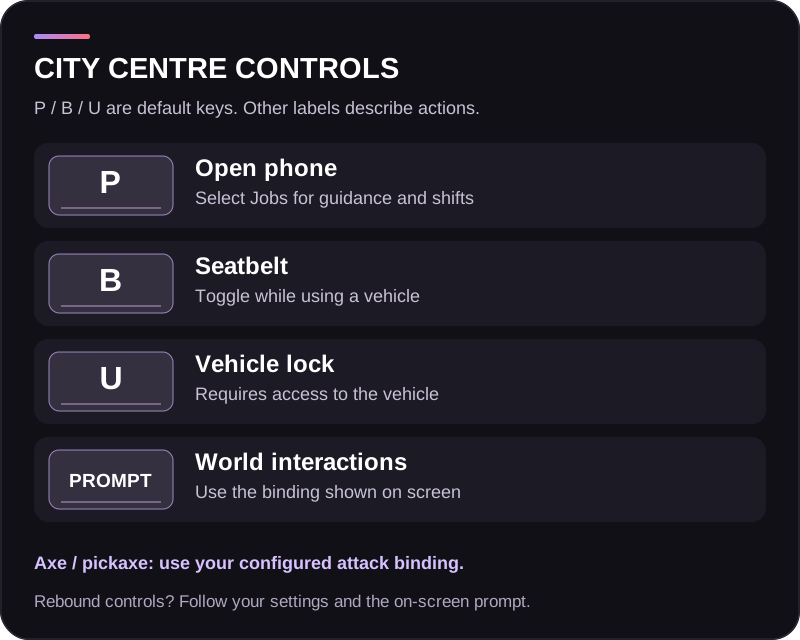
Controls at a glance
Default control
Use
P
Open your phone, then select Jobs
B
Toggle the seatbelt while using a vehicle
U
Toggle a vehicle lock when you have access
Your displayed interaction binding
Talk to the NPC, collect items, open cargo and operate processors
Your configured attack binding
Swing the equipped axe or pickaxe at the job target
These keyboard defaults can be rebound. For interactions, inventory, map and tool attacks, follow your current Controls settings and the on-screen prompt. On a controller, the configured phone shortcut is left shoulder + D-pad up. The individual guides show the exact menu choices and job actions to use.
Prepare a vehicle shift
For Garbage or Delivery, buy or rent the matching vehicle at a Car Dealership, then take it out of a garage. A vehicle stored in the garage is not active. Recover an impounded vehicle before trying to start.
Once equipped, open Phone > Jobs. You can work alone; starting a supported solo shift creates a job group for you. In an existing group, the leader starts the shift and controls the route and finish options. Make sure every worker has the correct job and outfit, and that a matching group vehicle is active.
Use the assigned group vehicle throughout the route. Owning a different van or finding a similar truck does not automatically make it the job vehicle.
Understand your earnings
Gathering: your products are the income. Process logs or ore, carry the finished goods to the correct trader, review the sale quote and complete the sale. Processing alone does not pay you. Trader prices can change with demand.
Garbage: each contributor receives the route's recorded earnings when the leader finishes. Under the framework rates checked for this guide, 15 collected bins plus the completion bonus produce $5,000 per contributor.
Delivery: the route accumulates parcel payments and a completion bonus. The final amount is divided among contributing workers. Distance pay uses the distance from the depot to each destination, so taking a longer road does not increase it.
For these two route jobs, contributors are workers who pick up trash or complete parcel deliveries, respectively. Driving or being listed in the group alone does not register that contribution. Rotate tasks so everyone participates.
Rates in these guides describe the framework reviewed in September 2026. Use the live job screen, trader quote and payslip for the amount on your server. Vehicle rental, fuel and equipment expenses reduce your take-home earnings.
Finish your work
Lumberjack / Miner: collect the processed products and sell them. There is no phone shift to cash out.
Garbage: finish collecting, put the bags into the truck, unload at the Garbage depot, then have the leader select Finish Job.
Delivery: complete the assigned stops, then have the leader select Finish Job. You do not need to drive back to the depot to receive this payment.
Purchased and rented route vehicles remain part of the normal garage system. Finishing the shift does not turn a rental into a permanent vehicle or extend its rental period.
These are the four jobs in the current Job Centre selection. Taxi, towing, farming, bus driving and specialist freight are not included in this City Centre catalogue.