Prepare your miner outfit and pickaxe, gather four types of ore, refine them into ingots and sell your materials.
Category
Economy
Written by
SummitLife Staff
Last updated
September 2026
Miner is a gathering job: extract ore in the Mining Zone, process it into ingots and sell the finished metal at the Ingot Trader. You do not start or finish a Miner shift in the Jobs phone app.
Before you start
Requirement
What to prepare
Employment
Apply for Miner at the Job Center and confirm the outfit change
Uniform
Miner helmet, miner hoodie, miner overalls and black boots
Tool
A pickaxe; check the General Store for job tools
Inventory
Space for ore and processed ingots
Destinations
Mining Zone, the ore processor and Ingot Trader
Wear all four pieces of the miner outfit. A pickaxe alone is not enough: mining checks both your employment and your equipped uniform. The Ingot Trader is the job's clothing location if you need the outfit again.
Photo to add: helmet, hoodie, overalls and boots clearly visible, with your pickaxe equipped.
Controls and work sequence
Action
Control or menu
Mine a target
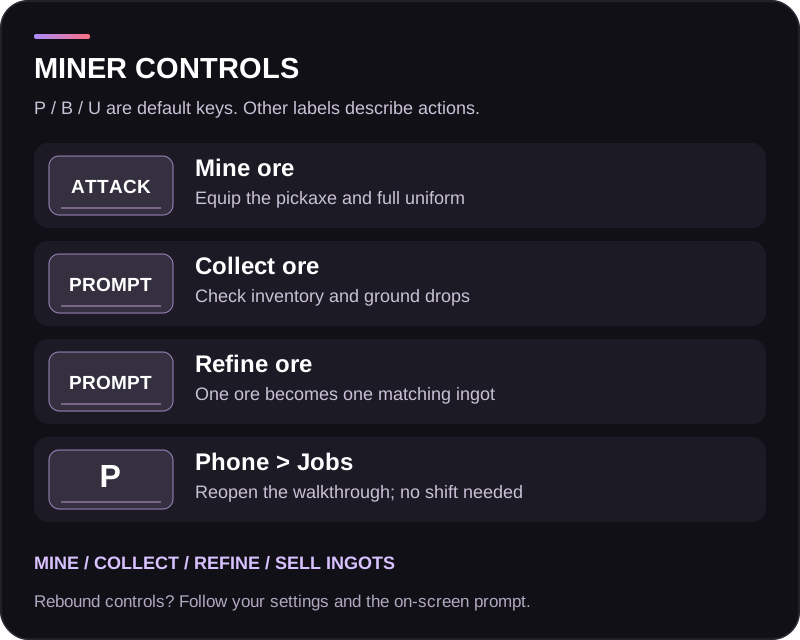
Equip the pickaxe and use your configured attack binding
Collect dropped ore
Use the on-screen item or inventory interaction
Refine ore
Use the processor's displayed interaction and wait for completion
Sell ingots
Open the Ingot Trader, review the metal and amount, and confirm the sale
Reopen guidance
P > Jobs > How to start and get paid
Use your current Controls settings for tool attacks, inventory and interactions. The pickaxe must be equipped for its mining swing to count.
Step 1: gather ore
Travel to Mining Zone and work on its mining targets. Equip the pickaxe, stand close enough for the swing to reach, and strike the target until ore is produced. Keep your full uniform equipped throughout the session.
Ore is added to your inventory when there is room. When the inventory cannot accept it, check the ground near the mining target for the dropped item. Collect your ore before moving on.
The standard mining workflow supports four metals:
Raw material
Refined product
Copper ore
Copper ingot
Iron ore
Iron ingot
Silver ore
Silver ingot
Gold ore
Gold ingot
Photo to add: a mining target in the Mining Zone and the resulting ore item.
Step 2: find the ore processor
Take your ore to the refinery processor identified by the orange Job Location guidance. Follow the current job guidance to locate it; the ordinary mining marker identifies the gathering area, not the processing machine.
Keep the ore in your character's inventory. The processor checks for supported ore there. Approach the machine, select its processing action and wait if it is busy with another operation.
Step 3: refine the metal
Process your ore one piece at a time. Each standard ore becomes one ingot of the same metal. Copper does not turn into gold, and the refinery does not pay you for processing.
Wait for the operation to complete and check for the resulting ingot before repeating. Keep free space for the output. If something appears missing, inspect both your inventory and the processor area before leaving.
Step 4: sell the ingots
Visit Ingot Trader with your finished ingots. Select the correct metal, review how many units you are selling and check the total quote before confirming. Repeat for other metals in your inventory.
The mining loop ends with the trader transaction. Holding ore, completing processing or closing the phone does not collect the sale proceeds for you.
Photo to add: the processor with its map guidance, then the ingot sale menu with the selected metal visible.
Earnings and planning
Use the trader's current quote to judge the value of your batch. Do not assume all metals have the same value or that a previous session's price is still available.
Plan the trip between the Mining Zone, processor and trader. Carrying capacity and processing time affect how much you can sell in one run. Keep enough room for output and inspect your inventory before travelling to avoid arriving at the trader with only unprocessed ore.
Troubleshooting
Problem
What to check
Pickaxe hits without producing ore
Miner employment, all four uniform pieces equipped, correct tool, mining target and tool reach
Ore is missing from inventory
Look for an item dropped on the ground and free inventory space
Processor says no ore
Carry a supported ore in your character inventory; ingots are already processed
Processor is busy
Wait for the current processing operation to finish
Wrong material selected for sale
Match the trader entry to the ingot in your inventory
No payment after mining or refining
Complete an ingot sale at the trader
Cannot find a shift button
Miner is a gathering job; it does not require a phone shift
Finish and choose your next job
Collect your last output and sell the ingots you want to cash out. Keep your tool ready for the next session, or return to Job Center when you want to change employment.