Load your Delivery Van, choose a parcel route, make every drop-off and collect your bank payment. Includes keybinds, group payouts and common fixes.
Category
Economy
Written by
SummitLife Staff
Last updated
September 2026
Delivery Driver moves parcels from the Delivery depot to marked destinations. Prepare your van, load packages, request a route and complete every stop. You can work alone or with a group, and the leader collects the shift's payment through Phone > Jobs > Finish Job.
Before you start
Requirement
What to prepare
Employment
Apply for Delivery Driver at Job Center and confirm the outfit change
Uniform
Delivery shirt and delivery pants, equipped
Vehicle
Buy or rent a Delivery Van at a Car Dealership; take it out of a garage
Inventory
Space for a delivery package
Group
Solo or a prepared job group; the leader controls routes and finishing
Every worker needs the correct employment and outfit. The Delivery clothing location supplies the job outfit if you need to restore it. Your van must be active, not stored or impounded. Use the van assigned to your group for all loading and deliveries.
Photo to add: the delivery shirt and pants beside the correct van at the depot.
Controls and work sequence
Action
Control or menu
Start shift
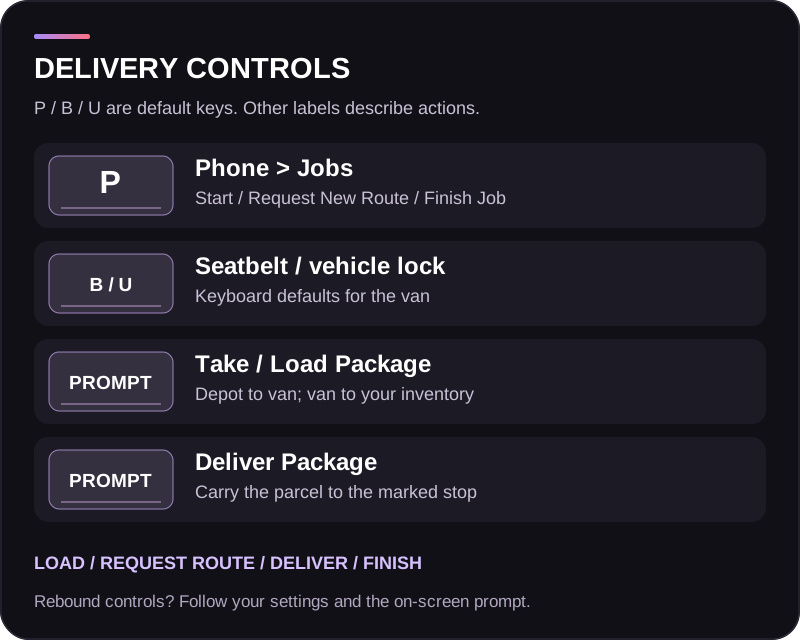
P > Jobs > Start Job: Delivery Driver
Seatbelt / vehicle lock
B / U
Collect depot parcel
Take Package at the depot
Put parcel in van
Load Package at the assigned van
Choose route
Leader: Phone > Jobs > Request New Route
Get parcel for a stop
Take Package at the van, or transfer one from its trunk inventory
Complete drop-off
Deliver Package at the marked target
Get paid
Leader: Phone > Jobs > Finish Job
The letter keys are keyboard defaults. For the named world actions, use the interaction key shown by your current bindings. A package must move into your character inventory before you can deliver it.
Step 1: start and load
Take the van out of a garage, then start Delivery Driver in Phone > Jobs. A solo shift creates a job group automatically; an existing group's leader starts for the crew.
Go to the Delivery depot. Use Take Package, carry the parcel to the van and use Load Package. Repeat until you have the load you want. Carry one parcel at a time and watch the van's loaded-package count.
The standard van cargo configuration holds 10 packages. Follow the actual capacity displayed for your vehicle. You need at least one package loaded to request a route.
Photo to add: the depot pickup point and the loaded van with its package counter visible.
Step 2: request a route
The leader opens Jobs and selects Request New Route. Choose an available package count. Route size is limited by loaded cargo and available delivery targets; the route system supports up to 30 packages, but that does not increase your van's cargo capacity.
Confirm the route and follow the destination markers and live progress. Do not request a replacement while a route is active. Finish the current route before choosing the next normal run.
Step 3: deliver each parcel
Drive the assigned van to a marked delivery stop and park close to the target.
Get out and take one parcel from the van. Use Take Package, or open the trunk inventory and transfer one package to your inventory.
Walk to the marked delivery target with the package.
Use Deliver Package and wait for the confirmation and progress update.
If the stop still requests packages, repeat; otherwise move to the next marker.
Do not leave the parcel lying beside the target. The delivery action completes the handover and records the payment. Use the actual marked target, not another nearby building or door.
Photo to add: the parcel drop-off interaction and a completed-stop notification.
Step 4: finish the route and cash out
Complete all assigned stops. Once the route is finished, the leader selects Phone > Jobs > Finish Job. The shift cannot be finished while a delivery route is still active. No return trip to the depot is required for payout.
If you want to keep working, use the available route option with remaining cargo or reload at the depot. Cash out when you are ready to end the shift.
The van remains in the normal garage system. Finishing clears the job's parcel cargo and temporary group vehicle access; collect your payout after the route and treat rented vehicles according to their rental period.
Earnings and crew contributions
The framework rates checked in September 2026 are:
Payment
Calculation
Delivered parcel
$225 + $100 per kilometre of depot-to-destination distance, rounded to whole dollars
Completed route
$500 bonus
Final payout
Accumulated earnings divided among contributing workers, paid to their banks
The distance is the direct distance from the depot to the stop. Extra driving does not increase the parcel payment. For example, a parcel with a 2 km depot-to-stop distance records $425 before the route bonus and crew split.
A worker becomes a contributor by completing a parcel delivery. Merely driving, loading parcels or standing in the group does not register that delivery contribution. Share drop-offs among crew members so everyone participates. The total shown for the job is the shared pot, not a promised amount for each person.
Check the live payslip and your bank balance after finishing; server rates may differ. Rental, fuel and equipment costs are expenses, so the recorded route total is not your net profit.
Troubleshooting
Problem
What to check
Cannot start the shift
Correct job and outfit, matching active van, leader starting for the group
Cannot request a route
At least one parcel loaded, leader requesting and no active route
Cannot load more packages
Vehicle capacity, correct assigned van and a parcel in your inventory
Cannot take another parcel
Store or deliver the parcel you already carry
Deliver Package will not work
Actual parcel in inventory, correct route target and close interaction range
Finish Job is blocked
Complete the active route's remaining stops
Driver receives no payout
That worker must complete a drop-off to register a contribution
Payment is less than the job total
Delivery divides accumulated earnings among contributors